
Mega Photo Pro
Paul FalstadPhotography
4.6365.00 Reviews
- Version
- 2.1.4
- Installs
- 10.00K
- Age Rating
- Everyone
Screenshots
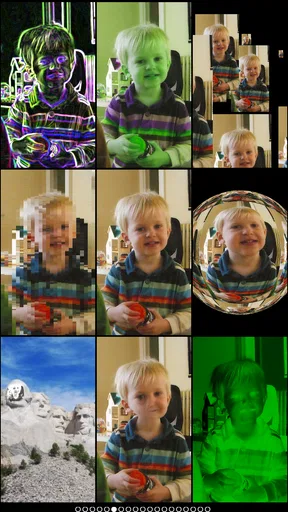
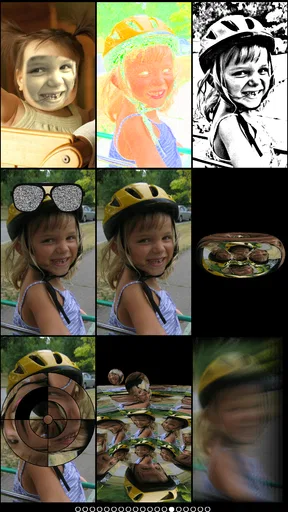
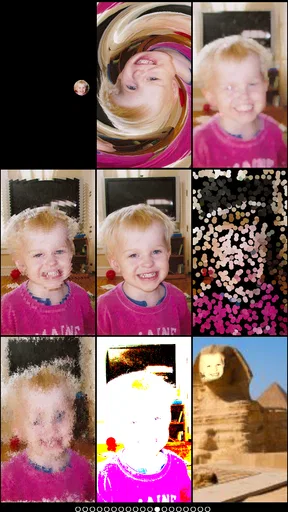
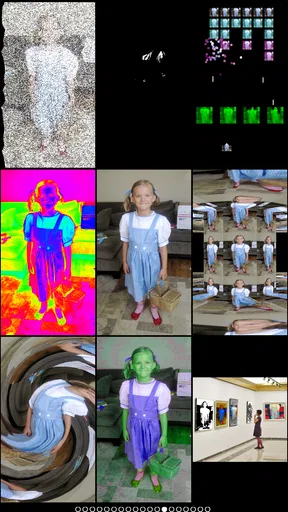
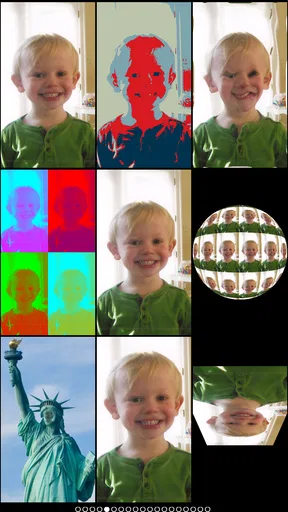
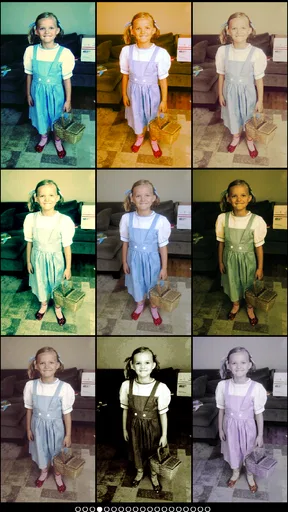
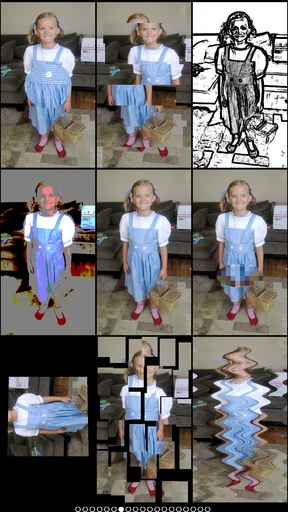
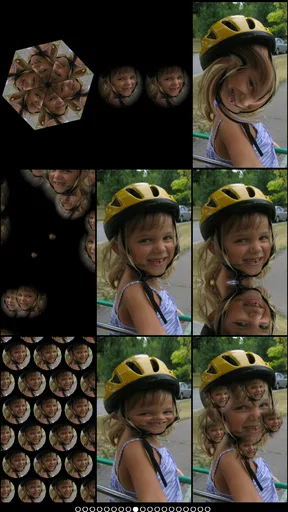
Our Review of Mega Photo Pro
 Analysis by Appyee
I tend to get the most out of experimental photo apps when I treat them as sketchbooks rather than as replacements for a full editing suite. That is the approach I would take with Mega Photo Pro: start with an ordinary picture, try a few visual directions, and keep the result that feels playful without losing the subject. It is a photography app by Paul Falstad, and its appeal is less about careful retouching than about seeing a familiar image behave in unexpected ways.
Where the first attempts can get stuck
The first hurdle is not necessarily learning the controls; it is choosing an effect. A large collection invites experimentation, but browsing without a goal can turn a quick edit into a long string of taps. I get better results by deciding what I want the picture to feel like before opening the effect list: dreamlike, distorted, bold, or simply odd. That small choice makes it easier to compare options instead of applying everything that catches my eye.
It also helps to start with a photo that has one clear subject and a relatively uncluttered background. Distortion can make a portrait or a single object feel striking, while a busy scene may become hard to read once its shapes shift. I would not call that a flaw in the app so much as a useful creative constraint: the more an effect changes the image, the more the original composition matters.
Setup checks that save time
Before building an edit, I make sure I am working from a copy of a picture I would be happy to experiment with. That is a sensible habit for any creative app, especially one where the fun comes from trying dramatic changes rather than making subtle corrections. I also check that the device has enough free space for ordinary photo work and that the image I want to use is available to the app through the device’s normal photo-selection process.
Mega Photo Pro is listed at $1.99, with an Everyone age rating, and version 2.1.4 requires Android 5.1 or later. It was released on September 25, 2013, so I would approach it as an established creative tool rather than assume it follows every current design convention. Its average rating is 4.6 from around two thousand ratings, with 365 written reviews and over ten thousand installs. Those figures suggest a small but sustained audience; they do not tell me whether the visual style will suit your taste, so trying a few effects is still the best test.
Making an edit without losing the thread
My practical workflow is to choose the source photo, test a small number of effects, and pause when one looks promising. I then use the touch controls to adjust the image rather than immediately moving to another preset. The app’s real-time interaction is the point: a swipe, pinch, or drag can change the character of a result, and those small adjustments are often more useful than stacking more visual changes on top.
A good everyday example is a photo taken during a walk that is technically fine but feels too ordinary to share. I might use an effect to give it a stranger, more graphic look, then compare that result with the untouched original. If the new version makes the subject clearer or gives the scene a mood I like, I keep it. If the effect becomes the whole picture, I back off and try a less disruptive choice. That before-and-after check is a simple way to avoid mistaking novelty for a better image.
For quick social posts, this kind of workflow can be more enjoyable than opening a general-purpose editor and adjusting exposure, contrast, and color one slider at a time. For product photos, polished portraits, or images that need accurate color, I would reverse that choice: a conventional editor is usually better suited to precise corrections. Mega Photo Pro is strongest when the point is transformation, not faithful cleanup.
Trying effects with a clear purpose
When I try an effect, I like to decide what the picture needs to communicate before I start adjusting it. A quick comparison with the untouched image helps me tell whether the changes strengthen that idea or merely make the photo more unusual. That simple check also gives me a useful way to choose which experiments are worth keeping.
A Treasure Trove of Filters and Effects
One of the first things that caught my attention was the sheer number of filters and effects. We’re talking over 100 effects, each more fascinating than the last. Whether you want to turn your selfie into a retro masterpiece or add a psychedelic twist to your vacation photos, this app has you covered. It’s like having a professional photo studio right in your pocket.
What’s really cool is how interactive it feels. You can move, stretch, and twist your photos in real-time, giving you a level of control that’s both refreshing and addictive. It’s almost like playing a game where you’re the main character, and your photos are the world you get to explore.
Intuitive Controls
No one likes fiddling with confusing controls, and thankfully, Mega Photo Pro gets it. The controls are intuitive, meaning you spend more time creating and less time figuring out how things work. Just swipe, tap, and pinch your way to artistic glory. It’s as if the app reads your mind, anticipating what you want to do next.
Performance and Reliability
Now, let’s talk performance. We’ve all been there—an app crashes just as you’re about to perfect your masterpiece. Not here. Mega Photo Pro runs smoothly, and I didn’t experience any annoying lags or crashes. Even with multiple effects layered on top of each other, the app held up like a champ. It’s reliable, and that’s a big win in my book.
Recovering the workflow when a result goes wrong
When an edit stops looking right, I find it more useful to step back than to keep piling on changes. Return to the original image if that option is available in the editing flow, or start again from the source photo; then test one effect at a time. This makes it easier to see whether the problem is the effect itself, the image, or simply an adjustment that went too far. Keeping the source photo untouched gives you a reliable fallback either way.
If the app seems unresponsive during an experiment, I would first stop making rapid gestures and give the current operation a moment to finish. Then I would reopen the image and repeat the last action more deliberately. If an issue persists, checking that the app and device are behaving normally, and restarting the app before trying again, are reasonable general steps. I would avoid assuming that every pause means the photo or edit has been lost.
When the app may not be the cause
A result that looks soft, warped, or visually crowded is not automatically a performance problem. Some effects intentionally reshape the image, and a low-detail or busy source photo may make the outcome feel less polished. I usually test the same effect on a simpler image before deciding it is not working. That quick comparison separates a mismatch between effect and photo from a genuine problem with the editing session.
Sharing can also involve more than the editor itself. If a finished image does not appear where you expect, I check the device’s usual photo library and sharing options before repeating the edit. Social apps can handle imported images differently, and a destination app may change how a picture is displayed. Saving or locating the finished image first gives me a clearer point from which to share it, rather than treating every sharing hiccup as an editing failure.
Compatibility and Sharing
Sharing your creations is a breeze. Whether you’re team Android or iOS, Mega Photo Pro has you covered. The app seamlessly integrates with social media platforms, so you can flaunt your artistic flair to the world with just a few taps. Instagram, Facebook, you name it—the app makes sharing a piece of cake.
Who will enjoy it, and who should look elsewhere
I can see this working particularly well for someone who enjoys making unusual images for messages, casual posts, or personal projects and does not want every edit to look realistic. It is also a good fit for a person who likes hands-on experimentation: the interactive controls give you room to play with a picture rather than simply choose a preset and move on. If you enjoy discovering an unexpected result from a familiar selfie or travel shot, there is a clear reason to keep it around.
I would skip it if your main goal is reliable portrait retouching, precise color matching, batch processing, or a predictable professional finish. A standard photo editor is a better choice when the job is to correct a specific problem and preserve the scene as it looked. Likewise, if you prefer a very restrained interface with only a few carefully selected looks, a large effects collection may feel like browsing rather than creating. The right choice depends on whether you want control over accuracy or room for visual surprises.
A Few Things to Keep in Mind
While the app is a powerhouse, it’s worth mentioning that some features are locked behind a paywall. If you’re serious about your photo editing, the investment might be worth it. However, the free version is still packed with enough features to keep you entertained for hours.
Also, the sheer number of effects can be overwhelming at first. But give it some time, and you’ll find your favorites. It’s like exploring a new city—at first, it’s a lot to take in, but soon enough, you’ll have your go-to spots.
The price is modest, but I would still judge it by the type of editing you actually do. The paid version makes most sense if you expect to return to the effects and enjoy experimenting; it is harder to justify if you only want to make one conventional correction now and then. Since the app’s personality is built around playful transformations, I would test whether that style matches your own photos before paying for a tool you may rarely open.
Final Thoughts
Overall, Mega Photo Pro is a fantastic choice for anyone looking to add a splash of creativity to their photos. It’s fun, reliable, and bursting with potential. Whether you’re a seasoned pro or just looking to have some fun, this app is bound to keep you engaged. So go ahead, unleash your creativity, and let your photos do the talking. You won’t be disappointed.
My more practical verdict is that it earns its place when I want an image to feel deliberately strange, expressive, or fun—not when I need a dependable all-purpose photo editor. I would keep a clean original, choose a simple image for the first experiment, and make each effect earn its place in the final result. That approach makes the app’s breadth feel like an advantage instead of a maze, and it helps me decide quickly whether its particular kind of creativity is what I wanted.
Verdict
Strengths of Mega Photo Pro
- Wide variety of filters and effects.
- Real-time editing capabilities.
- High-resolution output supported.
- Intuitive and user-friendly interface.
- Fast processing and export times.
Limitations of Mega Photo Pro
- May crash on older devices.
- No free trial version available.
- Occasional lag with large files.
- Limited instructions for beginners.
- Not all features are intuitive.
Similar Picks in This Category
View All
Google Photos
Google LLC4.4

Gallery
Google LLC4.2

Picsart AI Photo Editor, Video
PicsArt, Inc.3.9

B612 AI Photo&Video Editor
SNOW Corporation4.1

BeautyPlus-Selfie Photo Editor
PIXOCIAL TECHNOLOGY (SINGAPORE) PTE. LTD.4.5

Remini - AI Photo Enhancer
Bending Spoons4.1
Frequently Asked Questions
What are the main features of Mega Photo Pro?
Mega Photo Pro is a versatile photo and video editing app that offers over 100 effects in real-time. Users can transform their images with unique filters, effects, and animations. It supports both photos and videos, allowing you to enhance your creativity with features like 3D filters, spinning effects, and more.
Is Mega Photo Pro user-friendly for beginners?
Yes, Mega Photo Pro is designed with a user-friendly interface, making it accessible for beginners. The app provides easy navigation and straightforward controls. Each effect is clearly categorized, allowing users to quickly find and apply the desired changes without needing advanced technical skills.
Does Mega Photo Pro support sharing edited photos and videos?
Absolutely, Mega Photo Pro allows you to easily share your creations directly from the app. With integrated social media sharing options, you can post your edited photos and videos on platforms like Instagram, Facebook, and Twitter, or simply send them via messaging apps to friends and family.
Are there any in-app purchases in Mega Photo Pro?
Mega Photo Pro offers a complete package with a one-time purchase price, eliminating the need for in-app purchases. This means that once you purchase the app, you have access to all features and effects without any additional costs, ensuring a premium experience without interruptions.
What devices and operating systems are compatible with Mega Photo Pro?
Mega Photo Pro is available for both Android and iOS devices. It requires iOS 9.0 or later for Apple devices and Android 4.1 or higher for Android devices. Ensuring your device meets these requirements will allow the app to run smoothly and provide the best user experience.
